
The math is the easy part. The trap is the lot number on the box — order short, run out mid-install, and the next batch is a different shade of the same tile. One lot, with the cushion baked in, even if you return unopened boxes.
Run any tile job through the tile yardage calculator below. Set the pattern preset to match your install — straight-set, subway 1/3 offset, diagonal, or herringbone — and it auto-fills the operator-default waste %.
Run the math yourself
Plug in your tile job. The calculator's pattern preset auto-fills the operator-default waste %; switch to “Custom” if your install is unusual.
10% straight · 12% subway 1/3 · 15% diagonal / herringbone · pick Custom to set your own.
How pros actually do this
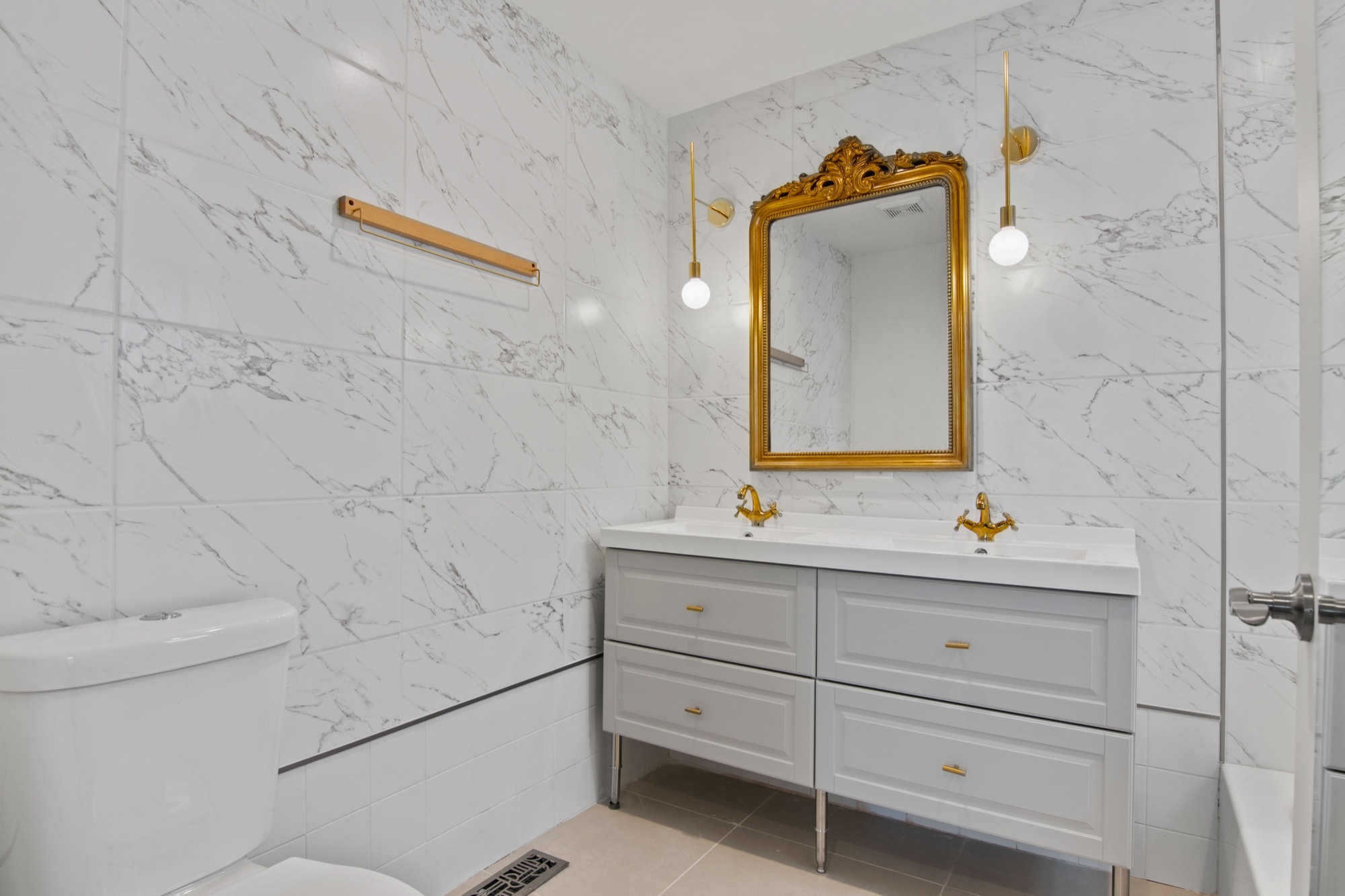
The locked tile job from a Chicago-suburb gut rehab was the primary bath: marble subway walls (3×6 in 1/3 offset) and a porcelain floor (12×24 running bond). 12% on the walls because every cut was a custom angle around the niche + the shampoo- shelf shelf cuts; 10% on the floor because the room was a clean square. Ordered all the boxes from one lot at the supply house, returned two unopened boxes at the end. That's the cushion working: I had the breakage allowance I needed, ate the extra-box surplus on the front end, and didn't risk a partial-batch reorder mid-install.
The discipline that matters is pattern-specific waste, not a generic “10-20%.” SiteworkMath splits straight-set (10%), diagonal/herringbone (15%), and trim/bullnose (20%) — operator defaults that match common installer practice — because the cuts are different. Subway 1/3 offset lands at 12% because staggered cuts hit mid-row instead of the row-edges where straight-set cuts go. Generic calculators punt to a slider; SiteworkMath pins each pattern to a number and lets the operator override if the room shape is unusual (lots of niches, multiple bump-outs, complex returns).
The lot-number drift caveat is the silent failure mode no AI-generated calculator catches. Tile manufacturing batches the dye and glaze in lots; the same SKU from a second batch can run a noticeably different undertone — sometimes invisible in showroom lighting, often visible in installed bathroom + kitchen lighting where shadows hit at unforgiving angles. The fix is structural, not heroic: order all the boxes upfront with the waste cushion baked in, save 1-2 spare tiles per SKU for future patches, and don't try to top up partway through the install.
The four steps
1. Measure the area in square feet.
Length × width in feet for rectangular floors. For walls, the tiled area is wall length × tile-up height. Subtract any significant openings (windows, niches, doors) — but include the niche walls if you're tiling them too. For irregular shapes, break the area into rectangles, compute each, and sum.
2. Pick the pattern, which fixes the waste %.
SiteworkMath operator defaults — common installer practice — split it: 10% for straight-set (running bond, square offset), 15% for diagonal (45° rotation) or herringbone/chevron, 12% for subway 1/3 brick-offset, 20% for bullnose / trim rows. The calculator's pattern preset auto-fills the waste % so you don't have to remember the table.
3. Multiply through to get the practical tile count.
Floor area in sq inches = area_sqft × 144. Tile area in sq inches = tile_w × tile_h. Exact tile count = ceil(floor_sqin / tile_sqin). Practical tile count = ceil(exact × (100 + waste%) / 100). The integer formulation matters here — the obvious exact × (1 + waste/100)can hit JavaScript's floating-point trap (100 × 1.10 evaluates to 110.0000000001 + ceils to 111, off-by-one).
4. Round to the next full box, then confirm one-lot ordering.
Boxes needed = ceil(practical / tiles_per_box). Then call the supply house and ask them to pull all the boxes from one lot — tell them you'd rather wait for inventory than mix lots. This is the single most important sentence in the order. Save 1-2 tiles per SKU for future patches.
The worked example, end to end
Inputs:
- 80 sq ft bathroom floor (e.g., 8 ft × 10 ft)
- 12×12 ceramic tile (1 sq ft per tile)
- 12 tiles per box (typical for 12×12)
- 10% straight-set waste cushion (operator default)
Step by step:
- Floor area in sq inches:
80 × 144 = 11,520 sq in - Tile area in sq inches:
12 × 12 = 144 sq in - Exact tile count:
ceil(11,520 / 144) = 80 tiles - Practical tile count:
ceil(80 × 110 / 100) = 88 tiles - Boxes needed:
ceil(88 / 12) = 8 boxes - Total coverage at 8 boxes:
8 × 12 × 1 = 96 sq ft(16 sq ft cushion)
So you call the supply house with: 8 boxes of 12×12 ceramic, all from one manufacturing lot, and you'll save 1-2 tiles for future patches. The 16 sq ft of surplus is the breakage allowance; it isn't over-ordering — it's the next-box rounding that the supplier's box-quantity convention forces on the order.
Where this number breaks down
A few traps that put the math on the wrong side of the order:
- Bullnose / trim wants 20% on its own. Trim tile gets edge cuts on both sides. Compute trim and field separately. Lumping them at 12% is the most common way to run short on trim.
- Subway 1/3 offset is NOT half-offset. True 1/3 brick-pattern means staggered cuts hit mid-row, not row-edge. 12% covers it. Half-offset (running bond) drops back to 10% because cuts align row-to-row.
- Lot-number drift on partial reorders.Same SKU from a second batch can run a noticeably different undertone. Order all upfront from one lot. Save spares for future patches; don't top up mid-install.
- Tiles-per-box varies by SKU.A 12×12 typical ships at 12/box; a 24×24 large format at 4/box; a 3×6 subway at 50/box. The calculator takes tiles-per-box as input — confirm from the manufacturer spec sheet, don't assume.
- Mosaic sheets vs individual tiles.Glass / stone mosaics often ship as 12×12 sheets containing many small tiles. The calculator treats the sheet as the “tile” for box-count math. If your sheet has 144× 1×1 mosaics, the sheet is your unit, not the individual mosaic — and the waste % logic is the same.
Frequently asked
What waste factor should I use for tile?
10% for straight-set installations (running bond, square offset), 15% for diagonal or herringbone patterns, and 20% for bullnose / trim rows where edge cuts hit both sides of every tile. These are SiteworkMath operator defaults aligned with common tile-installer practice — the percentages most reputable installers cushion to in the field. The Tile Council of North America Handbook + ANSI A108/A118 are the industry standards bodies for tile installation methods, but the specific waste percentages are field-cushion convention rather than published handbook values. Subway tile in a 1/3 brick offset lands at 12% — between straight and diagonal because staggered cuts hit mid-row.
Why is the diagonal waste factor higher than straight-set?
Because every tile in a 45°-rotated install gets a 45° edge cut on at least one side, and the off-cuts rarely get reused. In a straight-set layout, only the perimeter tiles get cut; the interior is full tiles. In diagonal, even interior tiles need cut corners to fit the pattern. SiteworkMath's 15% diagonal cushion (operator default, common installer practice) reflects this — more cuts means more breakage + more unusable scrap.
Should I add waste cushion if I'm tiling a small bathroom?
Yes — and the small-job cushion is more important, not less. On a 30 sq ft bathroom floor, a 10% waste cushion is 3 tiles. If a tile breaks during the cut + you don't have the cushion, you're either driving back to the supply house mid-install (lot-number drift risk) or improvising with a partial tile that looks worse than the cut would have. The calculator surfaces a small-job warning below 30 practical tiles to flag this — it's not telling you to skip the cushion, it's telling you that the per-tile economics shift.
How do I handle bullnose / trim-tile waste?
Run the calculator twice — once for field tile (10% straight-set), once for trim (20%). Trim tile (bullnose, V-cap, schluter rails) requires edge cuts on both sides of every tile in the row. Lumping trim and field together at 12% is how you end up short on trim — you find out at the tail end of the install when the supply house only has tiles from a different lot. Order field and trim from the same lot, but compute their waste separately.
What happens if I run out of tile mid-install?
You face the lot-number color-drift trap. Tile manufacturing batches the dye + glaze in lots; the same SKU from a second batch can run a noticeably different undertone — sometimes invisible in showroom lighting, often visible in installed bathroom + kitchen lighting where the angle is unforgiving. The fix isn't to run out: order all the boxes you need (with the operator-default waste cushion) from one lot upfront. Save 1-2 spare tiles per SKU after the install for future patches; don't try to top up partway through.
Why does the calculator round up to the next full box?
Because tile ships in complete boxes. Most suppliers won't accept partial-box returns — once you open a box, the remaining tiles are yours. The Material Order Cushion's third line ("What I'd actually order: X boxes") reflects this physical reality. The cushion includes both the pattern-specific waste cushion AND the next-box rounding; the calculator's coverage line shows total sq ft at the final box quantity so you can see how much surplus you're holding for breakage and future patches.
What I'd do next
- Run the room through the calculator
Pattern preset drives the waste %; box count rounds correctly to lot-safe quantities.
- Large-format + carpet-tile math
24×24 squares are their own beast — modular failure, no waste calc.
Once the standard waste-factor math is dialed, the next decision is usually the large-format question: does 24×24 actually waste more than 12×12, or less? 24×24 tile calculator covers it.
By James Wu. Tile-count math is site arithmetic, formulas shown above. Pattern-specific waste cushions (10% straight-set / 12% subway-1/3 / 15% diagonal-or-herringbone / 20% bullnose-trim) are SiteworkMath operator defaults aligned with common tile-installer practice — they are NOT verbatim publications from the Tile Council of North America Handbook. Tiles-per-box conventions follow manufacturer data sheets (Daltile, MSI, etc.). Installation method context (when this guide touches install) from Daltile installation guidance + ANSI A108/A118/A136.1:2024 (paywalled at ANSI, cited by name). Engine logic in lib/sitework/tile.ts. Not tile-installation advice — for design + install decisions specific to your project, work with a qualified tile contractor or a Certified Tile Installer (CTI via CTEF). Full methodology.